Views & CQL
Views (saved filtered views)
A view is a saved, named filter that pulls tasks from all your boards, then groups and sorts them however you like. It lives in the sidebar and is great for cutting across boards — "everything due this week", "all my P1s", "deep-work tasks", etc.
Creating a view
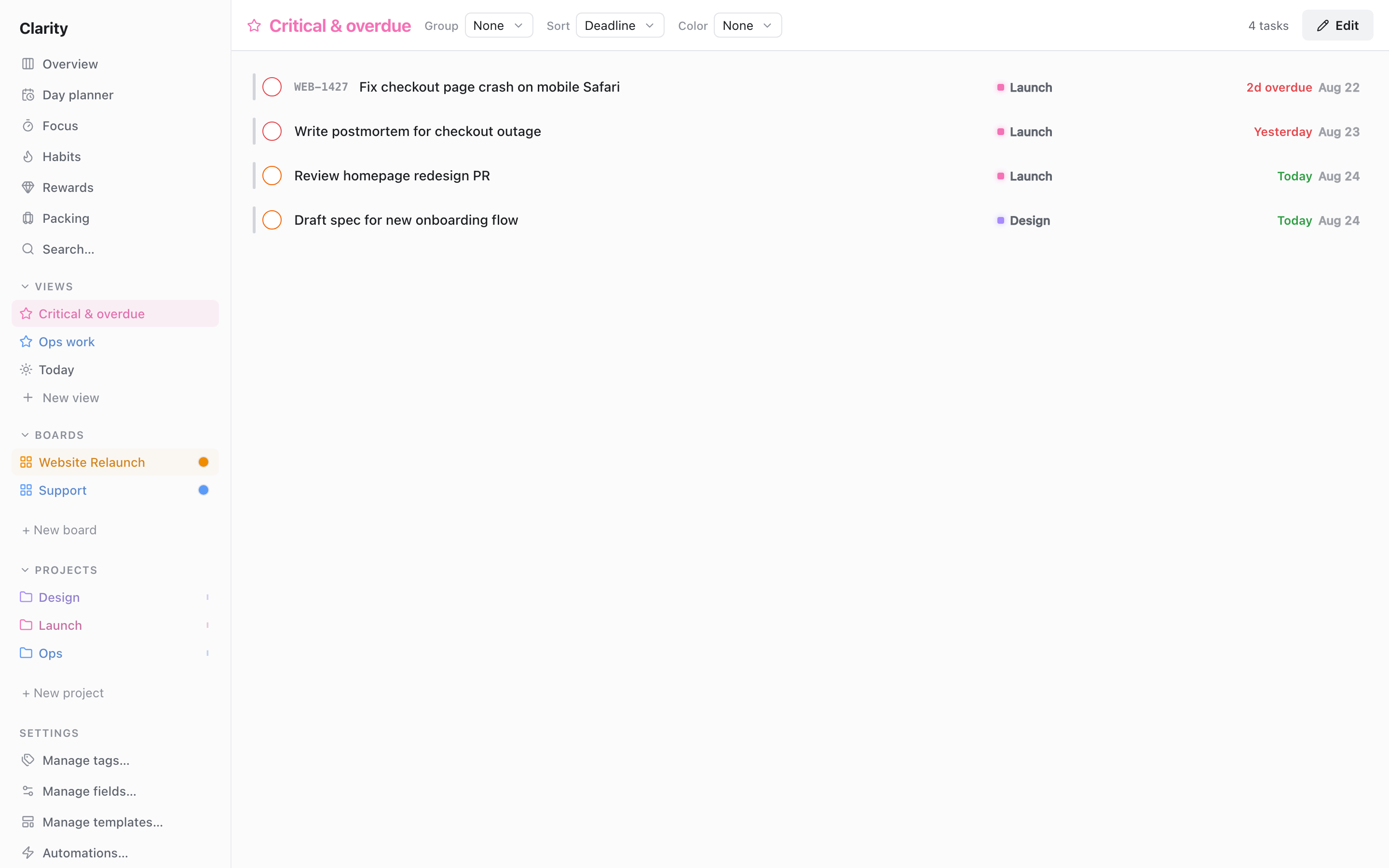
- Click + in the sidebar's Views section.
- Give it a name, and optionally an icon and color for the sidebar.
- Define the filter — either with the visual rule builder (pick conditions, combine with all/any) or by writing CQL directly (see below). Both produce the same result.
- Choose Group by:
None,Board,Project,Milestone,List(column),Priority, orDeadline bucket. - Choose Sort by:
Deadline,Do date,Start date,Priority,Created, orManual. - Save. The view appears in the sidebar; click it to view.
When grouping is None and sorting is Manual, you can drag to arrange tasks by hand. Edit or delete a view from its row menu, or right-click it for the same quick actions plus adding/removing it from the Overview.
The Overview dashboard
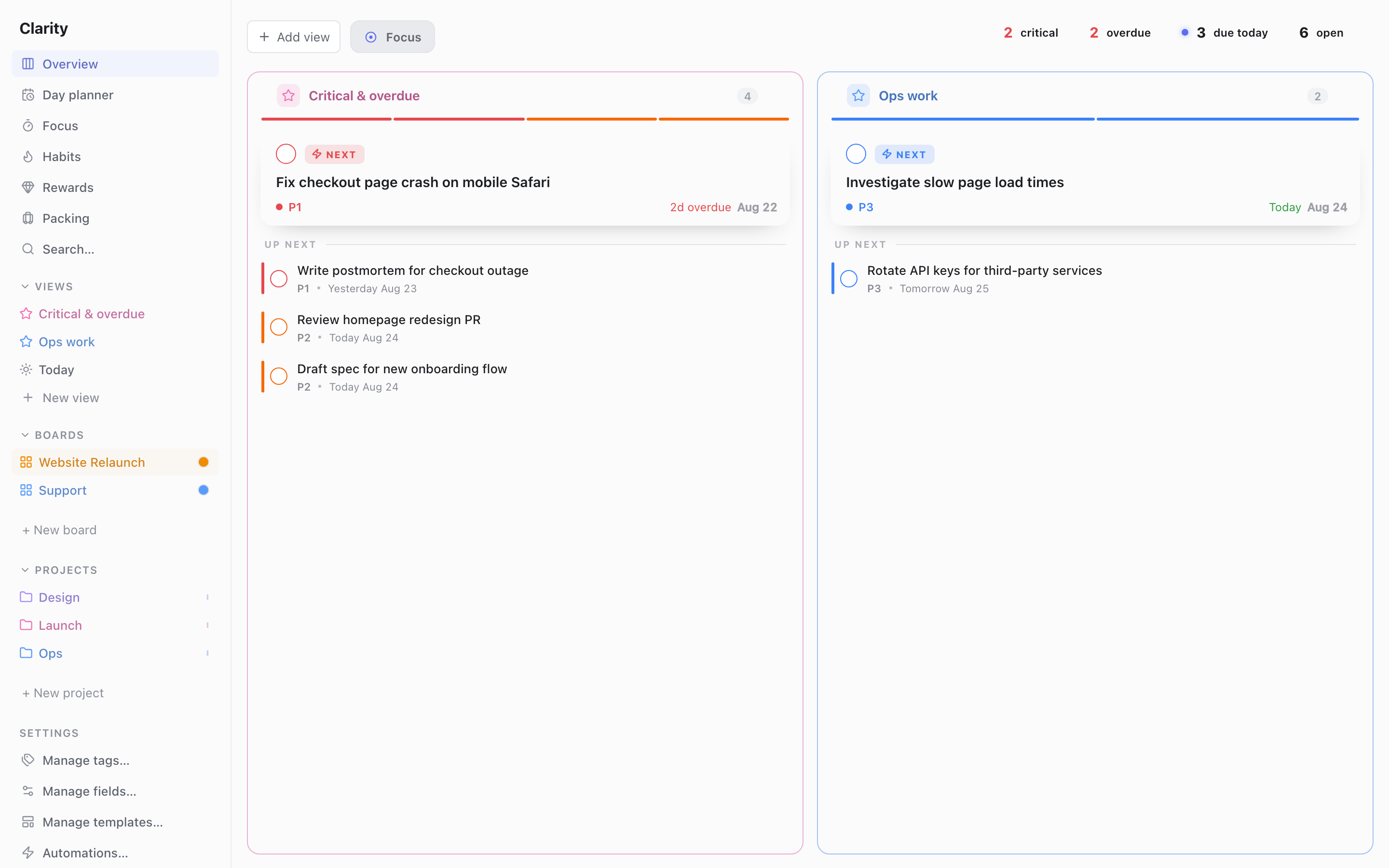
The Overview shows several views side by side as columns — a single dashboard of your most important views. Add a view to the Overview, drag the columns to reorder, and click a column to jump into that full view. Use it as your daily "command center".
CQL — Clarity Query Language
CQL is the text syntax behind view filters and search — the same thing the visual rule builder produces behind the scenes, just typed directly. Combine conditions with and / or, and use parentheses to control the order they're evaluated in. and binds tighter than or, so a and b or c is read as (a and b) or c — when in doubt, add parentheses to be explicit. Quote any name that contains spaces or a reserved keyword (e.g. tag:"deep work").
Conditions
Priority
priority = 1
priority <= 2
priority is set
priority is not set
Flexibility
flexibility is roll
flexibility is expire
flexibility is set
flexibility is not set
Recurrence
recurrence is set
recurrence is not set
Tags
tag:deep
tag:"deep work"
tag != errands
Dependencies — matches by the prerequisite task's title (quote it if ambiguous or reserved):
depends:"Design review"
depends != "Design review"
Dates — fields are deadline, do, start:
deadline is overdue
deadline is today
do within 7 days
start before 2026-07-01
deadline after 2026-06-10
deadline on 2026-06-15
deadline is set
do is not set
Location & grouping
board:"Work"
board != "Work"
project:Website
no project
milestone:"v1"
no milestone
column:Doing
Availability
available
blocked
deferred
not available
Custom fields
field:"Effort" >= 3
field:Status != pr
field:Notes contains "x"
field:X is empty
field:X is not empty
Combining
priority <= 2 and (deadline is overdue or tag:"deep work")
This reads: priority P1 or P2 and (overdue or tagged "deep work").
Worked examples
| Goal | CQL |
|---|---|
| Today's critical work, anywhere | priority <= 2 and (deadline is today or deadline is overdue) |
| Available deep-work tasks | available and tag:"deep work" |
| Unscheduled important tasks | priority <= 2 and do is not set |
| This week on the Work board | board:"Work" and do within 7 days |
| Stuck items (no project, overdue) | no project and deadline is overdue |
CQL is also the filter language for the AI assistant and for bulk updates — see Integrations → AI assistant (CLI).