Packing
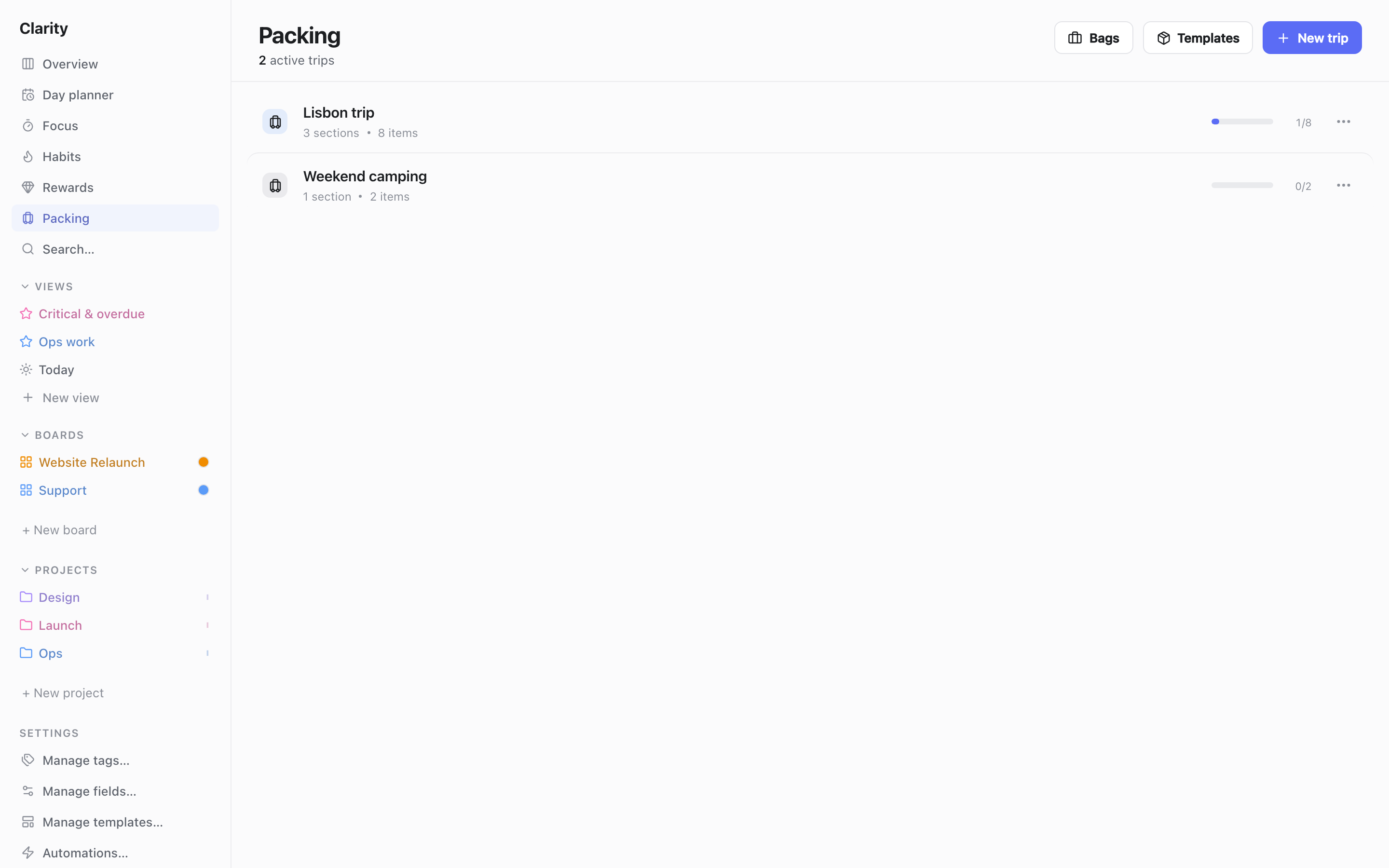
Packing is a separate tool inside Clarity HQ for building packing lists, tracking what you've packed for a trip, and knowing what's used up along the way. It isn't tied to tasks or boards — it has its own reusable templates, bags, and per-trip lists. Open it from the Packing entry in the sidebar.
Templates
A template is a reusable packing list you build once and reuse for every similar trip (e.g. "Weekend trip").
- Open Templates from the Packing page header to manage them.
- A template is organized into sections (e.g. Clothes, Toiletries, Electronics), each holding items with a quantity (e.g. "T-shirts × 3").
- Add, rename, reorder, and delete sections and items inline. Give the template an icon and color.
Bags
A bag models something you actually carry (a backpack, a suitcase), optionally split into named compartments (e.g. Main pocket, Laptop sleeve, Shoe pocket).
- Open Bags from the Packing page header to manage them.
- Bags and compartments are reusable across trips — you set them up once, then choose which bags to bring on each trip.
Trips (instances)
A trip is your actual packing list for a real trip — click New trip and either:
- Start blank, or
- Pick a template to instantiate from.
Instantiating deep-copies the template's sections and items into the trip. After that the trip is fully independent — editing it never changes the template, and editing the template later never changes trips already created from it.
Each trip shows a progress bar (items packed vs. total) on the Packing page, and can be archived or deleted from its menu.
Tracking a trip
Open a trip to get its detail view: an editable name, a packed-progress summary, and its sections of items. Each item has:
- Packed — placed in the luggage before the trip. This is independent of everything else below.
- Verified — confirmed present while collecting everything back up at the end of the trip.
- Consumed — units permanently gone (e.g. squeezed-out toothpaste).
- Used — units still carried but no longer fresh/available (e.g. worn socks) — still physically in your bag, just not "clean" anymore.
- Quantity and available — available count is quantity minus consumed minus used, shown next to each item.
An item counts as "handled" for the trip's overall progress once consumed + used reaches its full quantity — separate from the packed checkbox, which tracks whether it physically went into a bag.
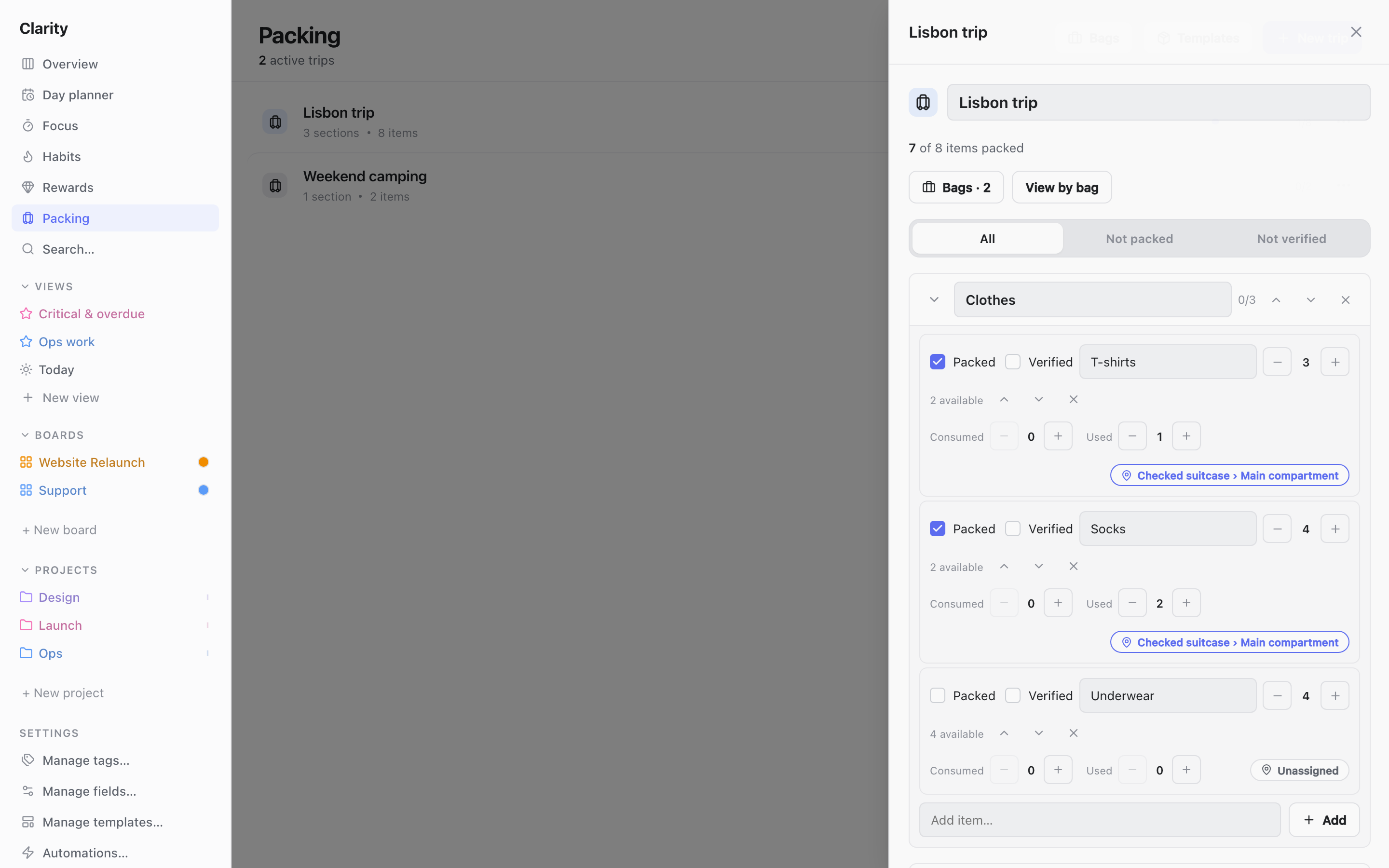
Use the All / Not packed / Not verified filter at the top of the trip to narrow the list while you're actively packing or checking things back in.
You can add sections and items directly on a trip (independent of any source template), and adjust quantities the same way as in templates.
Assigning items to bags and compartments
- Use the Bags button on the trip to choose which of your bags you're bringing on this particular trip.
- Each item then has a location picker: Unassigned, a bag, or a bag → specific compartment. Only bags you've selected for the trip are offered.
- Use View by bag on the trip to see a read-only breakdown of what's assigned to each bag/compartment, plus anything still unassigned — useful as a final check before you leave.