Getting Started
First look
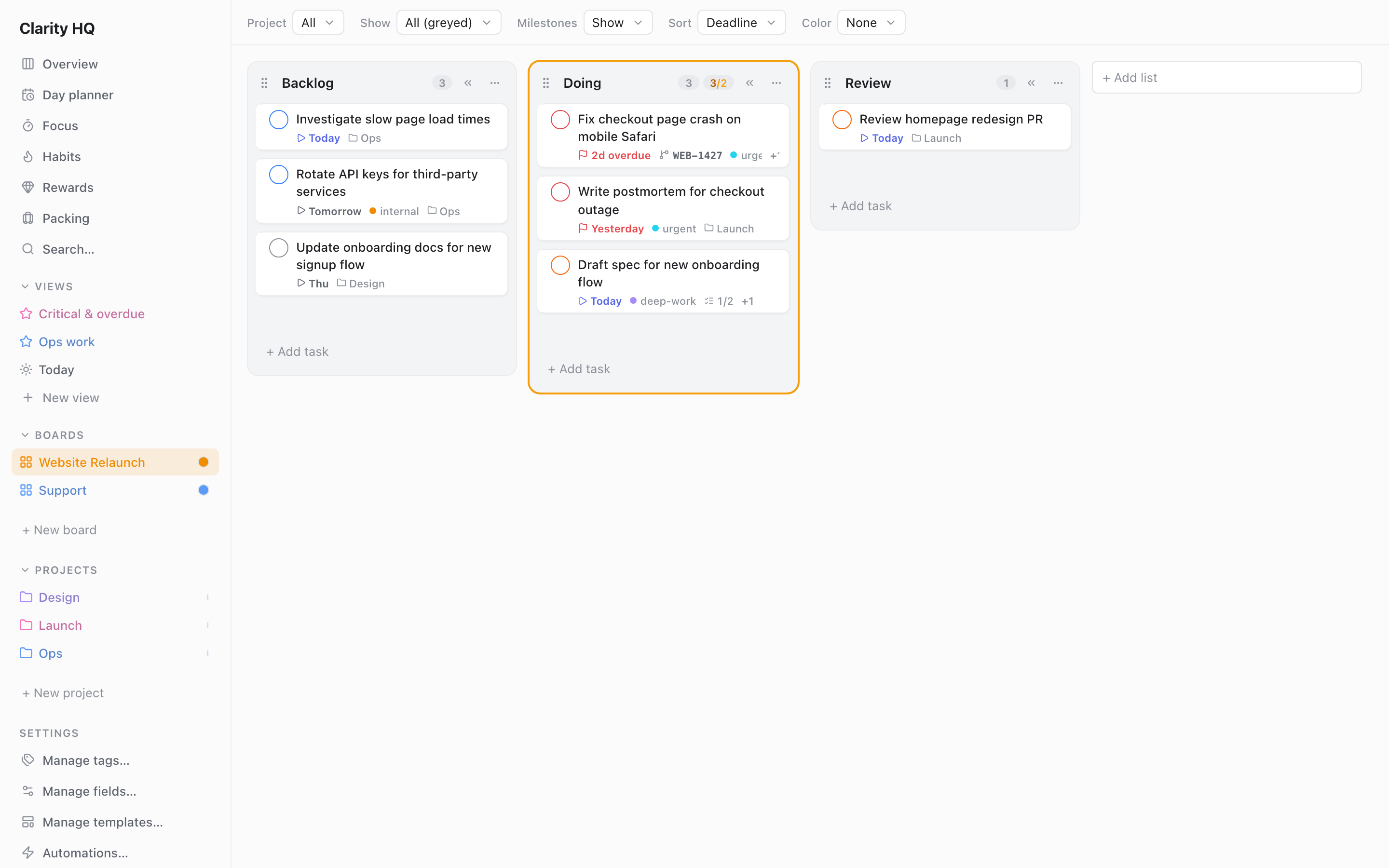
Clarity HQ opens on a board — a Kanban layout of lists (columns) holding task cards. Everything else is reached from the left sidebar or with a keyboard shortcut.
The sidebar
The left sidebar is your navigation hub, top to bottom:
- Top-level pages — one-click links to whichever of these are turned on: Overview (the multi-view dashboard), Day planner, Focus (the focus timer), Habits, Rewards, Packing, and Search.
- Views — saved cross-board filtered views (if the feature is on). Click + to create one; click a view to open it. See Views & CQL.
- Boards — your boards, in order. Click to switch, drag to reorder, double-click the name to rename, click + to add one. Press 1–9 to jump to the 1st–9th board.
- Projects — your projects (if the feature is on), listed below your boards. See Settings & features → Projects.
- Settings group — quick links into Settings' managers (tags, custom fields, templates, automations) and each integration (Jira, GitHub, Google Calendar, Slack), plus Settings itself.
- Integration status — small indicators for Jira / GitHub / Google Calendar / Slack showing connection and last-sync state. Click to open that integration's manager. See Integrations.
- Theme control — toggle light/dark (when using the Default theme), at the very bottom. Full appearance options live in Settings.
The main views
Only one main view is active at a time:
| View | What it shows | How to open |
|---|---|---|
| Board | The current board's lists and cards (the default) | Click a board, or press 1–9 |
| Saved View | A saved filtered, grouped, sorted view across all boards | Click a view in the sidebar |
| Overview | A dashboard combining several views side by side | Open it from the sidebar |
| Planner | The Day Planner — time-block tasks against your calendar | Open Day planner from the sidebar |
| Focus | The focus timer — Pomodoro cycles or a quick countdown | Open Focus from the sidebar |
| Habits | Your daily/weekly habits, streaks, and vacation mode | Open Habits from the sidebar. See Habits. |
| Rewards | Your coins/gems balance and reward shop | Open Rewards from the sidebar. See Settings & features → Rewards. |
| Packing | Packing templates, bags, and trip lists | Open Packing from the sidebar. See Packing. |
| Settings | Feature switches, appearance, shortcuts, integrations | Open Settings from the sidebar |
Dialogs (the task editor, Quick Add, search, integration managers, the shortcuts cheat-sheet) open on top of whichever view you're in.
Capturing your first tasks
- Inline: type in the quick-add box at the bottom of any list and press Enter.
- Quick Add popup: press a to open a popup where you can set the date, priority, tags, and destination in one go — and use shorthand tokens like
!1(priority),#tag, or$board. See Boards & tasks → Quick Add.
Keyboard help
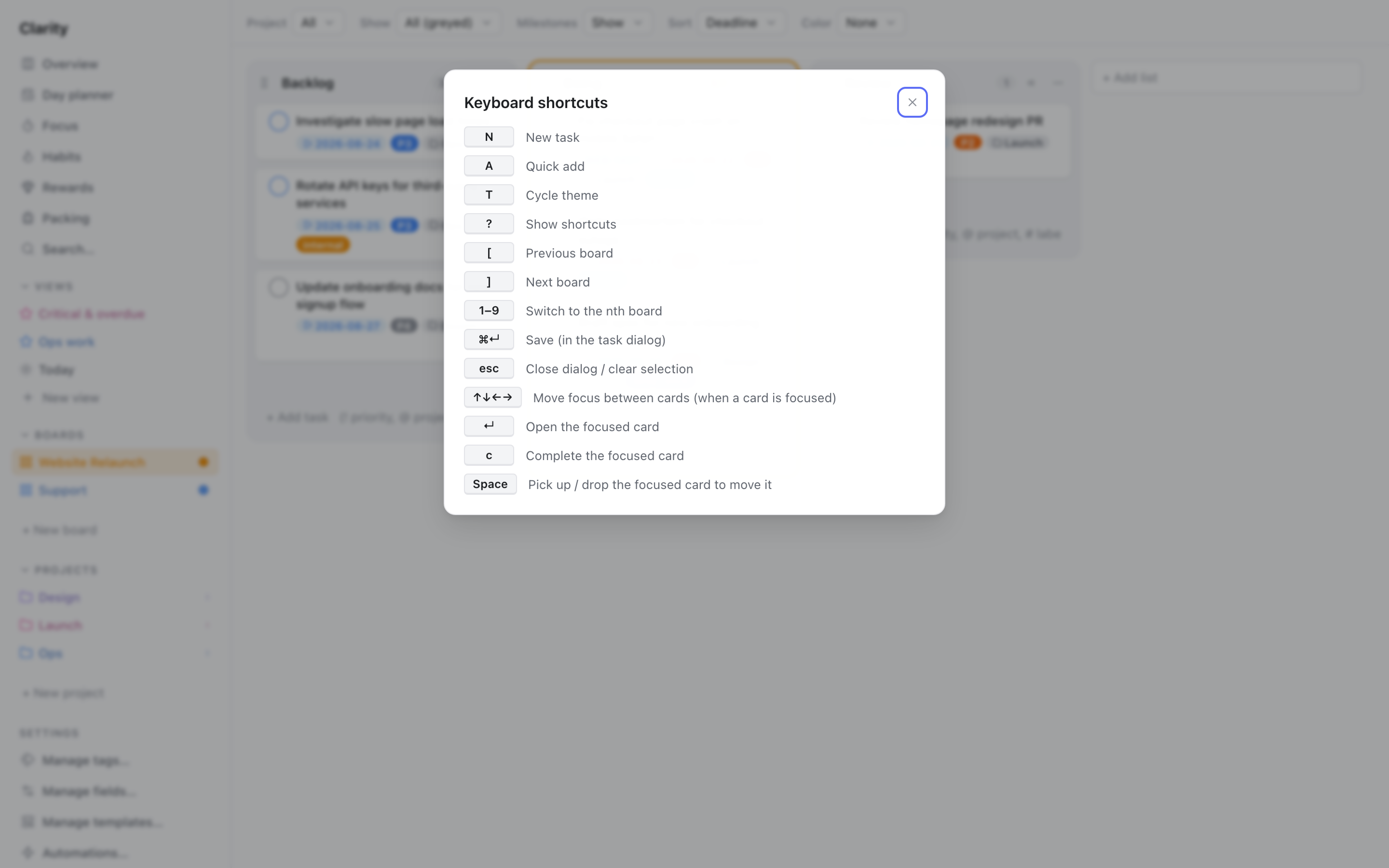
Press ? anytime to open the keyboard shortcuts cheat-sheet. The default global shortcuts:
| Key | Action |
|---|---|
| n | New task (focus the first list's quick-add) |
| a | Open the Quick Add popup |
| t | Cycle theme (light / dark / system) |
| ? | Show this shortcuts help |
| [ / ] | Previous / next board |
| 1–9 | Jump to the nth board |
These are rebindable in Settings (except the structural ones like 1–9, save, and Esc). See Settings & features → Keyboard shortcuts.